
We have a pallet full of game improvements for you! New update is now available for Farming Simulator 22 – and brings a variety of optimizations and quality-of-(farming)-life improvements to the game. Like increased pallet limits. Find out more below.
Please Note! The patch is currently being rolled out across platforms. It can take a couple of hours until the update becomes available on your system. Crossplay services may be affected in the meantime.
Patch 1.14.0.0
Bugfixes & Changes
Balestacking: Added Kubota M7 with frontloader
Balestacking: Added Volvo 120H wheelloader
Arena: Fixed cutters jumping upwards when driving over Drops
Arena: Improved performance while Drops are waiting to be picked up
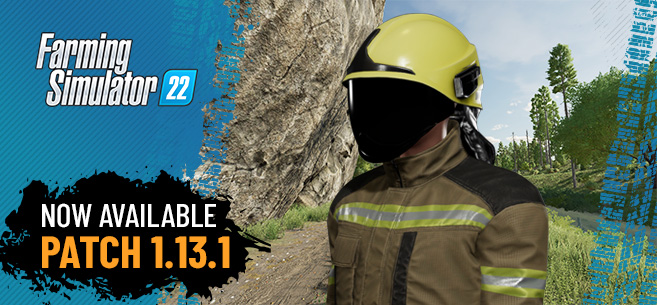
Improved visor rendering on fire fighter clothing
Fixed connection hoses on Grimme GL860
Fixed crashes with long inline bales
Fixed visual issue with wheel hubs moving around
Fixed decals partially clipping on various machines
Modding
Added vehicle LOD debug viewer (gsVehicleDebugLOD)
Known issues
Toggling AMD FSR 3 Frame Generation or restarting the game while a third party overlay / hook is active may cause a game crash (such as OBS Game Capture – use Display Capture instead)
Info
As with all major updates to Farming Simulator, you may experience stuttering on the first game launch after the update when using mods or custom graphics settings due to shaders being recompiled.
Patch 1.13.1.1
Bugfixes & Changes
Updated AMD FSR to 3.0 (Windows only)
Updated Intel XeSS to 1.2 (Windows only)
Updated internet radio streams to support HTTPS protocol (Windows only)
Fixed game becoming unresponsive near certain buildings from Pumps n’ Hoses Pack
Multiple improvements to the GIANTS AutoUpdater interface & behavior (Windows only)
Changelog for Patch 1.13.1
Please Note! As with all major updates to Farming Simulator, you may experience stuttering on the first game launch after updating. Especially when using mods or custom graphics settings due to shaders being recompiled.
New Additions
Added Firefighting Suit
Bugfixes & Changes
Adjustments on Kröger PWO 24 and increased available wheelconfigurations
Fixed issues with mod updates if the game has not been restarted
Arena-Mode
Added functionality for players to initiate a technical break
Fixed various issues with technical break
Fixed various issues after a game reset
Fixed direct delivery drop calculation
Fixed admin settings on console
Improved overloading into Kinze trailer
Modding
New GIANTS Editor 9.0.5 is needed for map modding
Changing the number of angle channels for the fields no longer needs a separate custom shader
Fixed crashes on maps with an empty traffic system
Changelog for Patch 1.12
Please Note! As with all major updates to Farming Simulator, you may experience stuttering on the first game launch after updating. Especially when using mods or custom graphics settings due to shaders being recompiled.
New Additions
Added HORSCH “Farming Hero” Suit
Bugfixes & Changes
Updated to Intel XeSS 1.1 upscaling
Redesign of multiplayer menu with Arena / Bale Stacking modes
Rebranded Ploeger AT5104 LNMS to Oxbo AT5104 LNMS including visual update, due to real-life rebranding
Dedicated Server: Fixed performance issue when loading ModHub data
Bugfixes in Arena and Bale Stacking modes
Dedicated Server: Added auto activation for dependent mods
Dedicated Server: Added dependent mod warning
Dedicated Server: Added log rotation
Dedicated Server: Added live preview of log files
Dedicated Server: Added highlight of non ModHub mods
Dedicated Server: Added additional server performance graph (Blue: System, Green: Process)
Increased the max number of supported gamepad buttons to 128
Modding
Increased the number of animal subtypes that each husbandry supports
Patch 1.9.1.0
Bugfixes & Changes
Mixerwagon info HUD works again
Fixed folding issues on the cotton harvesters
Fixed issues with bale transport tools
Bales from missions can now be stored in the “Bale & Pallet Storage”
Fixed automatic motor turn off on the John Deere CP690
Fixed functionality of plows to properly remove chopped straw from the ground
Improved stability of physics joints
Proper hardware profile mapping of Intel ARC GPUs
Updated to FSR 2.2
Updated to DLSS 3.1 (Bug Fixes & Stability Improvements)
Screenspace Shading Rate Bug Fixes & Improvements
New additions
PC/Mac: Added paste (Ctrl + V) support for text/password input fields
New vehicles and tools
Massey Ferguson MF 6S
Massey Ferguson MF 7S
Massey Ferguson MF 2370 Ultra HD
Massey Ferguson MF RB 4160V Protec
Fendt Squadra 1290 N UD
Fendt Rotana 160 V Combi
Info
As with all major updates to Farming Simulator, you may experience stuttering on the first game launch after the update when using mods or custom graphics settings due to shaders being recompiled.
Patch 1.9.0.0
Bugfixes & Changes
Fixed discharging of Kuhn SPW Intense
Fixed state of bale wrappers after savegame loading or joining in multiplayer
Visual fixes on Claas XERION, Hardi Aeon, Hawe SUW, John Deere 6R, Krone BiGX & Manitou MLT 625
Fixed start duration of Zetor Z-25K
Fixed server list not refreshing after canceling password dialog
New additions
Added bale and pallet storage building
TMR can now be transported with silage trailers
Added ‘Screenspace Shading Rate’ option for improved performance
Modding changes
Added support for up to 64 fruit types in mod maps
Patch 1.8.2.0
Bugfixes & Changes
Wood harvester cut length is now saved in multiplayer if the client reconnects
Fixed multiple issues with moving parts not correctly synced to the clients
Fixed wood harvester cutting if the client reconnects while a tree is in the cutting header
Automatic tree cutting setting is now correctly synchronized in multiplayer
Fixed issues with wrong prices while buying used vehicles
Fixed wrong HP display for MF IDEAL
Improved XeSS
Improved AI “Drive To” behavior
Known issues
Force Feedback for the Logitech G920 is currently having issues across several games on the Xbox, hence the wheel might not be functioning properly. This should be resolved aside from FS22 and is not a bug in the game
Info
As with all major updates to Farming Simulator, you may experience stuttering on the first game launch after the update when using mods or custom graphics settings due to shaders being recompiled.
Changelog for Patch 1.8.1
Please Note! As with all major updates to Farming Simulator, you may experience stuttering on the first game launch after updating. Especially when using mods or custom graphics settings due to shaders being recompiled.
Bugfixes & Changes
Performance improvements
Improved AI “Drive To” behavior
Various crash fixes
Fixed large save games on Xbox
Fixed Fanatec wheels support on PS5
Improved fadeout of 3D sounds
Fixed animation of crane joysticks in cabin while not using easy arm control
Fixed issues with mounting heavy vehicles via tension belts
Fixed train slightly moving with automatic motor start turned off
Fixed farm.xml file sizes on public dedi servers
Fixed issues with AI driving into water
Fixed unloading arm control on sugar beet harvesters
Fixed dashboard display on MF 3707 AL
Fixed AI turning with Einböck PNEUMATICSTAR-PRO
Fixed Valtra A115 HI-TECH 4 config price
Improved transmission setup on Landini REX 4
Improved MAN TGX 26.640 stability
Fixed indoor camera rotation on Schäffer 23E
Fixed connection hoses and schema overlay on JCB 541-70
Fixed hydraulic hoses of Krampe SKS backdoor
Various visual fixes on Valtra A/N/Q/T Series
Improved ingame help text
New additions
Added Intel XeSS support
Added option to define variable lengths for wood harvester cutting and option to toggle between them in both directions
Added option to toggle between automatic and manual cutting for wood harvesters
Max. tree cut diameter is now shown in the shop for wood harvesters
Added header tilt feature for wood harvesters
Added farmland ID to map overview
Tree sapling type on pallets is now shown in the info box
Added placeable position and rotation snapping in construction mode
Modding
Added #class attribute to specify unload trigger class for unloading station
Added #class attribute to specify load trigger class for loading station
Added map and modDesc helpline support
Added option for filltype spawnplaces
Added object change support for single tension belts
Added timeHours and timeMinutes dashboard type in enterable to create analog clocks
New Additions
New fertilizer and herbicide from HELM
Patch 1.7.1.0
Bugfixes & Changes
Improved quality with FidelityFX Super Resolution 2
Fixed display of driving direction while manual shifting is enabled
Fixed John Deere 7R crop destruction at Trelleborg careWheel config
PS4 only: Fixed support for Logitech wheels
Visual fixes for CLAAS XERION 5000
Visual fixes for CLAAS AXION 800
Visual fixes for CLAAS LINER 4900 BUSINESS
Visual fixes for Vervaet HydroTrike
Visual fixes for MAN TGS and TGS trucks
Fixed schema for MAN TGX 26.640
Updated Valtra brand logo
Updated lights on Valtra G Series
Patch 1.7.0.1
Bugfixes & Changes
Win/MacOs: Fixed error message ‘Custom shader hash collision’ when using multiple mods with their own custom shaders
Patch 1.7.0.0
Bugfixes & Changes
Adjusted displayed working width of Grimme Evo 290 and Ropa Keiler 2
Increased Grimme Evo 290 capacity to 12m³
Fixed & improved mission availability
Fixed bunker position of Grimme Evo 290 in work mode
Improved interior coloring on John Deere vehicles
Fixed attacher joint on Quicke Q3M
Fixed yield increase on forage harvesters with silage additives
Lime heaps tipped onto the ground can now be steeper
Fixed license plate light visibility while no license plate has been configured on some vehicles
Fixed AI with turned cabin on Claas Xerion 5000
Fixed Xerion configuration in baling contracts
New additions
Claas Liner 4900 Business
Claas Xerion 5000 Anniversary Edition
Fendt / Massey Ferguson IDEAL MY23 Updates
Modding changes
Added DIFFERENTIAL_SPEED sound modifier
Fixed crawler translation offset xml attribute
Added ‘useRandomYRot’ xml attribute for greenhouse plants
Fixed loading of map hotspots with localized titles
Known issues
Demolish button not accessible with Controller / Keyboard.
Patch 1.6.0.0
Bugfixes & Changes
Added dual wheel config support to Trelleborg TH400 tires
Fixed animal husbandries manure output being limited to straw consumption
Fixed color configurations with large number of options in multiplayer
Fixed game crash after changing certain advanced FSR settings
Fixed issues with mod bales when 3d model is used from basegame and only textures from the mod
Fixed localization for collectibles in mods
Fixed mod input bindings being overwritten
Fixed prices page “Selling” price display
Fixed Rostselmash 2375 and Versatile WD4 displayed max speed in shop
Fixed Salek ANS-1900 AI support
Fixed usage of “fold all” input action when tools are attached that cannot be folded
Fixed Xerion 5000 map hotspot type
Improved drawbar behavior on Köckerling Allrounder 600
Improved Lemken Solitair 12 working behavior
Improved performance when toggling minimap size
Replaced Lemken Koralin 9-840 default wheel config
Slightly increased max. distance of high pressure washer
Various smaller visual and functional fixes on vehicles
When changing one of the FSR 1.0 options, the AA setting is automatically set to TAA – however, in game it is revealed that in fact TAA is not active.
New additions
Added multiplayer permission “Cut trees”
Added passenger support for various vehicles (requires Kubota DLC)
Added setting for adjusting framerate limit
V1.5
Changes & Improvements
Added permission “Manage Production Points”
Added slurry tanks to AI Refill options
Added support for multiple animation object “moving” sounds
Added tour abort button and tour steps menu
Fixed BunkerSilo update
Fixed chain jittering on Jungheinrich ETV 216i
Fixed cutter effects still active while the cutter is lifted
Fixed decal z-fight Deutz-Fahr TopLiner
Fixed loading of save games with custom mod bales
Fixed material issue Salek PN 2-300
Fixed missing bags on some pallets in multiplayer
Fixed NPC field and contracts updates
Fixed password field UTF-8 issue
Fixed placeable collision checks
Fixed placeable renaming permission
Fixed server list update reselection
Fixed sleeping in multiplayer
Fixed sound issues with high frequency audio devices (e.g. 192kHz)
Fixed trailer tipping for clients joining in multiplayer
Fixed vehicle character visibility on CLAAS XERION 5000 while switching the direction
Fixed CLAAS XERION 5000 clip distance
Fixed MF 8S motor configs and base weight settings
Fixed wrapping animations after leaving the game during the wrapping
Fixed controller settings “deadzone” text
Fixed ambient sounds in period “MID_WINTER”
Fixed centering force with force feedback wheels on Xbox
Improved performance of grapevines and olives on lower-spec hardware
Improved placeable rotation snapping
Improved Fendt MT1100 trailer attacher joint height
Improved CLAAS XERION 5000 optional weight price settings
Increased pallet limits
Several NPC visual fixes
New additions
Added AMD FidelityFX Super Resolution (FSR) 2.0
Added upscaling sharpness slider for DLSS, FSR 1.0 and FSR 2.0
Added mixer wagon info HUD if player is nearby
New pallet limits
Win: 300
Mac: 300
PS4: 75
PS5: 150
Xbox One: 75
Xbox Series: 150
Patch 1.4.1.0
Bugfixes & Changes
Fixed loading of mods using invalid specialization registration calls (too many or invalid arguments)
Patch 1.4.0.0
Bugfixes & Changes
Fixed server browser filter “allowCrossPlay” not being saved
Fixed rare issue when joining password protected servers
Fixed driving direction icons on various vehicles
Fixed combine headers tilted after AI has finished its job
Fixed unowned production points not consuming their inputs over time
Fixed reusing fertilizer effects with smaller working widths
Fixed front hubs on CLAAS Lexion 8900
Fixed slurry effects on Bomech Multi 4XL
Added missing connection hoses to John Deere 1775NT
Fixed AI starting to work while tool is not fully unfolded on Treffler TS 1520
Improved working on uneven terrain with Koeckerling Vector
Improved axle-rim alignment on Steyr 8150
Improved driving behavior of Boeckmann Big Master/Lizard Pickup 1986-combination when trailer is fully loaded
Improved lower distance to ground on levelers to reach the ground in the front with heavy weight attached on the rear hydraulics
Replaced wheels on John Deere XUV and Mahindra Retriever with new BKT tires
Various localization improvements
New additions
Added tour page to the ingame menu including the latest instructions
New vehicles and tools
Claas XERION 5000-4500
Jungheinrich ETV 216i
Salek AKP-122
Salek ANS-1900
Salek MUL-1000
Salek PN 2-300
Salek TB-100
Patch 1.3.1.0
Bugfixes & Changes
Fixed visual issues with FidelityFX Super Resolution
Fixed visual issues on Xbox One and Xbox Series S with HDR enabled
Fixed issue with flickering mirrors on PlayStation
Fixed attaching tension belts in multiplayer
Fixed shovels not being able to move material on the ground
Fixed text input with touch input on Steam Deck
Fixed microphone input on Steam Deck
Fixed invite issue on Stadia
Patch 1.3.0.0
Bugfixes & Changes
Fixed AI issues with articulated steering vehicles
Fixed animal screen scrolling input on number of animals
Fixed Animated Map Objects for mod maps
Fixed beehive honey pallet spawning
Fixed an issue where animal sounds were distorted while being close to an animal pen while in cabin view
Fixed bales that randomly appeared within the vehicles shop
Fixed crashes that appeared most recently on older console hardware when loading heavy save games or joining MP games with heavy saves
Fixed damage and owner display in vehicle info HUD
Fixed grassland rollers on Erlengrat
Fixed input for opening map directly
Fixed issues with beacon lights not matching the light reflections
Fixed issues with pallet forks falling into ground
Fixed issues with vehicles strapped on a train
Fixed license plates after resetting a vehicle
Fixed lost wood when factory storage is full
Fixed map hotspot graphics for various vehicles
Fixed train hotspot display for clients on Elmcreek
Fixed ModHub download progress display not being updated properly
Fixed players being able to open wrapped bales of other farms
Fixed preplaced buildings being deleted when sold
Fixed rare crash and visual issues when cutting trees
Fixed rare problem with silage silo not opening correctly when uncovered
Fixed situations where the game would not save anymore due to not enough memory
Fixed steering axles while trailers attached to the front of the tractor
Fixed unloading of cotton bales from bale loader
Fixed usage of custom mod pallets in productions
Fixed usage of vehicle tool cameras
Fixed various issues with using custom translations in mod maps
Fixed workshop update when vehicles are changed or sold
Improved accessibility of some stations by the semi-helper
Improved AI loading and unloading for various storage silos and hay barn
Improved collision of trees
Increased maximum height for unloading Heizomat HM 8-400 KLC
Map slot count is now calculated correctly, which will further prevent crashes on older hardware when loading into heavy savegames
Stone picker helper will now stop when it’s full. It will automatically unload while a trailer is nearby
Various improvements of driving or working behavior
New additions
Added color configurations for Nardi header trailers
Added contract progress notifications
Added feature to sell vehicles and tools when loading a save that would be too heavy to load on older console generations otherwise
Added license plates for traffic cars on Haut-Beyleron & Erlengrat
Added minimum and maximum prices over a year in the fluctuations display
Added PowerDrive transmission to Case IH Magnum 400
Added proper ground alignment for Kuhn GF 8712
Added support for modders who can now define snap positions for cutters, so they snap onto base game cutter trailers
Added Three-Point-Linkage option for Versatile 4 WD
Added wheeled US configuration for CLAAS Lexion 8900
New vehicles and tools
Fendt / Massey Ferguson IDEAL ParaLevel
Fendt / Massey Ferguson PowerFlow 30FT
Hardi NAVIGATOR 4000 DELTA FORCE
Kotte PQ 32.000
Krampe Big Body 750 S
Ploeger AT5104 LNMS
Patch 1.2.0.2
Fixed pallet handling with Manitou MC 18-4
Fixed issue when using tools with variable working width in Norwegian and Portuguese
Fixed issue when using charging station in Czech
Fixed issue when AI grain tank is almost full in Danish, Norwegian and Swedish
Fixed crash when loading savegames with corrupted trees (trees can still get corrupted when cutting)
Bugfixes & Changes
Adjusted contract vehicles accordingly as some had wrong tools for the job at hand
Adjusted prices for used vehicle sale
Adjusted repair costs
Adjusted ridge markers on seeders to not dig up stones anymore
Changed display of day numbers
Changed price fluctuations display so it shows actual history of prices of the last 12 months
Fixed an issue where AI workers were unable to use and turn plows correctly
Fixed an issue where leased machinery for a contract would disappear once accepted
Fixed an issue where picking up objects as a client in MP could crash the game
Fixed an issue where playing with a custom season length could cause issues in weather forecasts or indefinite rain/snow
Fixed an issue where shadows would cause some visual issues on PS4
Fixed an issue where some contracts were unable to be finished
Fixed an issue where the AI worker would continuously get paid even though the game was paused
Fixed an issue where the game wouldn’t start on certain Intel GPUs
Fixed an issue where using DLSS could result in some “ghosting” artifacts
Fixed an issue where using DLSS on supported cards could lead to a black screen
Fixed an issue where using the Big Bag lifter tool could cause the game to freeze or crash
Fixed an issue where vehicles would get duplicated when reset
Fixed an issue with animals running around the place when they shouldn’t
Fixed an issue with the map filter overlays displaying the “needs plowing” and “needs lime” status incorrectly
Fixed income of placeables to be consistent per year, now shown as income per month
Fixed issues with emptying of bunker silos
Fixed loan interest rates over a whole year
Fixed Manure Heap and Manure Heap Extension, they are now working as expected
Fixed reset of collectibles after they had all been collected
Fixed Rostselmash Nova pipe unloading effect
Fixed seed usage when direct-sowing grass
Fixed sell point prices and price fluctuations
Fixed switched fields and field numbers on Elmcreek map
Fixed the rear paddle buttons on the Logitech G920 not being properly bound on Xbox
Fixed tree growth to be the same independent of the length of a month
Fixed various issues with manual shifted tractors
Improved combine headers on sloping terrain
Improved cotton bale loading
Improved driving behavior of multi-axled trucks
Improved pallet handling and performance
Reduced AI worker costs all around
Fixed Arcusin Multipack D14 bale unload
New additions
Added ability to enlarge ModHub screenshots when viewing the mod details
Added ability to remove buildings on all four farms of the Elmcreek map
Added ai support for reverse driving tractors (Vario 900 & Valmet 8750)
Added Mobile Home placeable
Added Old Barn placeable
Added option for free placement of placeables
Added option for higher fuel usage
Added option to place vines and olives with parallel snapping
Added yield potential and weed removing tool recommendation to the field info
License Plate on Erlengrat now fully customizable
New vehicles and tools
ABI 1600 Gallon Water Trailer
ABI 550 Gallon Water Trailer
Amazone T-Pack U
Bomech Trac-Pack
Case IH Quadtrac AFS Connect Series
Case IH Rowtrac AFS Connect Series
Case IH Steiger AFS Connect Series
Fliegl Agrartechnik Noah TTW 140
Kongskilde GXF 3605 P
Kongskilde GXT 130005 P
Krone BiG Pack 1290 HDP VC
Krone GX 520
KUHN Primor 15070 M
Landini Series 7 Robo-Six
Samasz Tornado 252
Vervaet Hydro Trike 5×5
Known issues
Foliage in the distance can flicker in weird colors on certain hardware setups
Random crashes when hiring AI worker
Random cut down trees exploding visually in bizarre graphical glitches
Random issue where pressing the “A” button on Xbox will not enter the vehicle shop
Rare issue where game cannot be saved on Xbox
Contract bonus yield is too high – enjoy it while it lasts
Random graphical artifacts that can appear in the vehicle shop or when it’s snowing
Credits:
Giants

i looking fore a script. The mod doesn’t work with out it. (FS22_CTE_LamboMod.zip) where can i find it??
how do I find my key when I downloaded it off steam
i lost mine key!!!! to fs22 so i can’t get the update!!!
Traktori i blato
Noone speaks your language dick head
patcha jak ściągnąć 1.12
how to download patch 1.2
you don’t, the latest patch is the only one you can download rn
Hey fs team can you make a link on the computer so I can play and show my friends the game
i did the newest update a month ago and it wont load it froze on the load screen but audio comes …all my equipment is up to par updated etc..how do i fix it without uninstalling and reinstalling i acutally did that about three times and still the same issue HELP!!!
hey can consoles get more mods like the Chevrolet GMC and the raptor and can we get the lindsay pivot.
no, sadly those are not licensed by giants and are way to big and differently modded for PC ONLY, hope that helps
Kde mam stiahnut patch nemam stim skusenosti
My FS22 just started to be delayed severely and skip terribly too, re installing it did not work. checked graphics card drivers too. any tips on how to fix?
Hey fs22 game you should add campers and different pickup trucks that’s my idea
they have a couple campers on the main page
my problem w/this version @ Team FS:
yesterday moring, FS22 says there is an update (1.5.0.0(b)) in the nice banner in the right corner. Don’t know why i did not see the ‘automatic-update’ window first??
After the update, the game did not load/start. After about, say 10 sec. the mini-startbar-icon shows up, but ’empty’… After about 20 sec. it dissapears. The log…:
GIANTS Engine Runtime 9.0.0 (27568) 64bit (Build Date: May 17 2022)
Copyright (c) 2008-2021, GIANTS Software GmbH (giants-software.com), All Rights Reserved.
Copyright (c) 2003-2021, Christian Ammann and Stefan Geiger, All Rights Reserved.
Application: FarmingSimulator2022
Main System
CPU: Intel(R) Core(TM) i7-8809G CPU @ 3.10GHz
Memory: 16299 MB
OS: Windows NT 10.0 64-bit
Physics System
Version: 5.9.5
Thread(s): 2
Audio System
Driver: SoftMixer WASAPI Stereo
Version: 2018.11
Frequency: 48000
Max. active sources: 256
Render System
Driver: Direct 3D 12
Card Vendor: Advanced Micro Devices
Renderer: Radeon RX Vega M GH Graphics
Version: 30.0.101.1660 (18.3.2022)
Revision: 192
Hardware Feature Level : 12_0
Windowed Mode : off
V-Sync : on
Allow Tearing : off
Validation Layer : off
Effective Window Size : 1920 x 1080px
Effective Swap Chain Size : 1920 x 1080px
Started 3 threads for threadpool ‘Render threadpool’
Hardware Profile
Level: Custom Very High
View Distance Factor: 1.300000
Shadow Quality: 2.000000 Base-Size: 2048 Filter-Size: 16
Shadow Focus Box: true
Foliage Shadows: true
Shader Quality: 3
Skip Mipmaps: 0
LOD Distance Factor: 1.300000
Terrain LOD Distance Factor: 2.000000
Terrain Quality: 3
Foliage View Distance Factor: 1.600000
Volume Mesh Tessellation Factor: 0.750000
Tyre Tracks Segments Factor: 4.000000
Max. Number of Shadow Lights: 5
Max. Number of Lights: 256
Max. Number of Dir Lights: 4
Max. Number of Lights Per Cluster: 32
MSAA: 1
Post Process AA: TAA
DLSS Quality: Off
AMD FidelityFx SR Quality: Ultra Quality
AMD FidelityFx SR 2.0 Quality: Off
Sharpness: 1.00
Recommended Window Size: 1920 x 1080px
Bloom Quality: 5
SSAO Quality: 19
SSAO Resolution Scaling: 0.500000
DOF: Enabled
Half Resolution DOF: Disabled
Cloud Quality: 4
Texture Streaming: Enabled
EnvMap Blending: Enabled
Dynamic Specular EnvMap: Disabled
Shading Rate Quality: 2
Input System
Keyboard enabled
Mouse enabled
Gamepad/Joystick enabled
Force Feedback disabled
Devices:
Saitek Heavy Eqpt. Wheel & Pedal (VID: 0738 PID: 2217 VER: 0100 Cat: FARMWHEEL)
Saitek Side Panel Control Deck (VID: 0738 PID: 2218 VER: 0001 Cat: FARMSIDEPANEL)
Started 1 threads for threadpool ‘TerrainPatchOccluderManager unique worker’
Error: Cannot load compositeToDevice.cg
Now.. it won’t start anymore…. The Saitek hardware is the Logitech FS steer, pedal + button panel…
Can you lounch a patch soon or do i need to reinstall 1.3 ?? That version worked fine!!
Regards,
Fred
My game did this like two weeks ago as well. I fixed by reinstalling the game but sucked because I had to reset all my key binds on my wheel and joysticks. Game was fine till just this morning. Loaded the new JD skidder onto the server got on tried it out. had to restart my pc since my stick inputs were switched (-a separate issue-) and when I logged back on id did this again and i cant play. same log read
-Error: Cannot load compositeToDevice.cg
I want to know if there is another way to fix without having to spend a hour after reinstalling redoing my key binds AGAIN.
how to update xbox game pass version?
Same question Here!!!
There is nothing we can do. The update on gamepass is between microsoft and the fs people. On pc and it sucks bc I wanted to play crossplay with a friend of mine
Hey FS team. Thanks for the 1.4.1 patch. Now, almost everything works again. The only thing is, when visiting the Modstore (InGame) or first click on a savegame, then browse trough the mods, after ~ 20 sec. the complete game stops. When NOT browse through the mods, also directly start the save/game, no problems…
Windows Log codes:
+ System
– Provider
[ Name] Application Error
– EventID 1000
[ Qualifiers] 0
Version 0
Level 2
Task 100
Opcode 0
Keywords 0x80000000000000
– TimeCreated
[ SystemTime] 2022-04-24T08:40:54.6693193Z
EventRecordID 16076
Correlation
– Execution
[ ProcessID] 4824
[ ThreadID] 0
Channel Application
Computer MSI
Security
– EventData
FarmingSimulator2022Game.exe
9.0.0.0
624e93c2
FarmingSimulator2022Game.exe
9.0.0.0
624e93c2
c0000005
00000000001f5328
584c
01d857b6e26d19e9
C:\Program Files (x86)\Farming Simulator 2022\x64\FarmingSimulator2022Game.exe
C:\Program Files (x86)\Farming Simulator 2022\x64\FarmingSimulator2022Game.exe
dbca5adf-2255-4c4f-bd6e-ad77e7fa2872